How to Start AI Automation in Your Business Without Wasting Budget
6 min readBilal Ahmed · Full Stack Developer
A practical guide to AI automation: pick the right workflows, choose tools, keep humans in control, and measure results so your first projects pay off.
Most small teams do not fail at AI automation because the technology is weak. They fail because they automate the wrong task first, pick a tool before they understand the problem, and never check whether the result saved any time. This guide walks through a calmer, more practical path.
The steps below apply whether you run a marketing agency, a product team, an online store or an internal operations desk. You do not need a large budget or a data science department. You need a clear process, a few good tools and the discipline to measure what happens.
AI automation combines two ideas. Automation moves information between systems without a person copying it by hand. AI adds judgment to that movement, such as reading an email, classifying a support ticket, summarizing a call or drafting a reply. Together they remove the repetitive middle of many jobs.
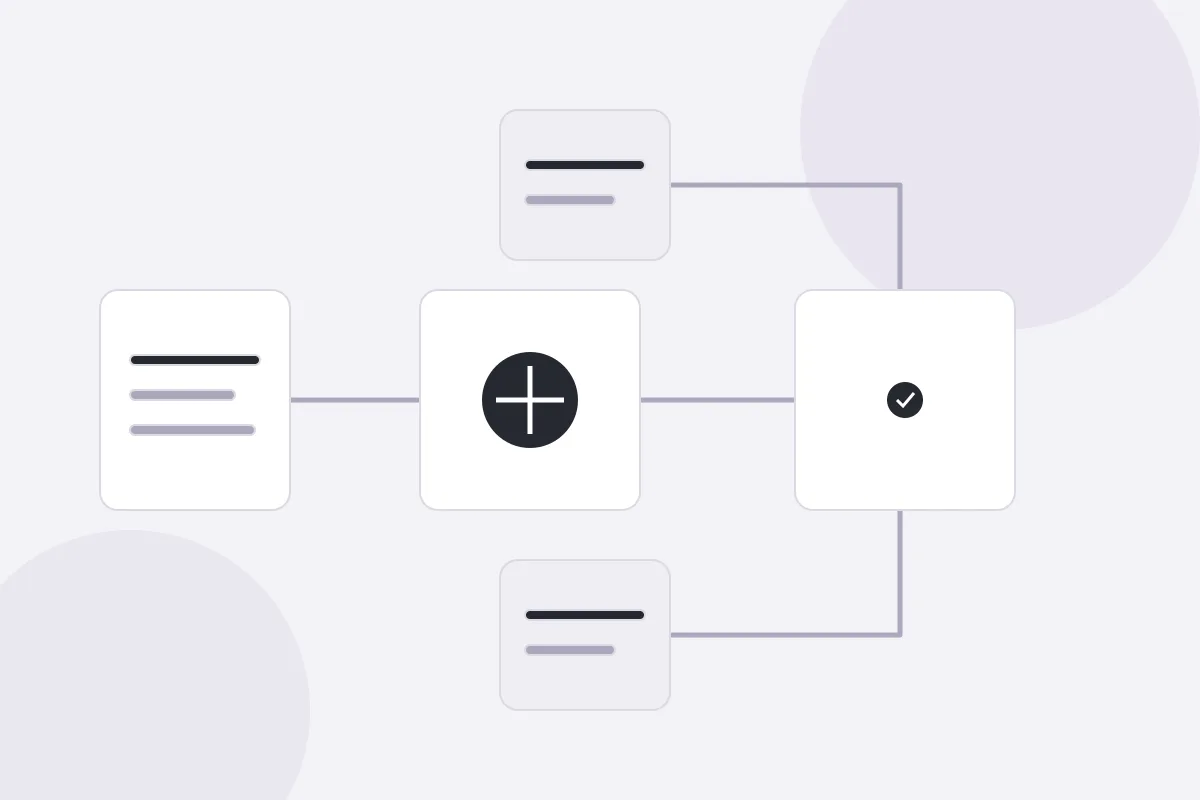
A simple example is lead handling. A form submission arrives, an AI step reads the message and tags it as sales, support or spam, a workflow tool writes the record to your database, and a notification reaches the right person within seconds. Nobody pastes anything into a spreadsheet, and nothing waits for someone to notice an inbox.
It helps to separate three layers before you buy anything:
Triggers start the work, such as a new order, a form entry or a scheduled time.
Logic and AI steps decide what the work means, including classification, extraction and drafting.
Results-driven Full Stack Developer with over 5 years of experience specializing in Python/Django, React.js, Next.js, and AWS. Proven expertise in building scalable web applications, AI-integrated platforms, and custom ERP systems from concept to deployment. Adept at working in agile environments, managing cloud infrastructure, and delivering end-to-end solutions for diverse industries including e-commerce, finance, and tourism. Strong background in mentoring developers and collaborating with cross-functional teams to optimize performance and drive business growth.
Actions
finish the job by updating a database, sending a message or creating a task.
Once you see every automation as a trigger, a decision and an action, planning becomes much easier, and you can explain the plan to a colleague in one sentence.
Start with pain, not with tools. Ask each person on the team which tasks they repeat every week, which ones they dislike and which ones cause delays when someone is away. Write the answers down without filtering them.
Then score every task using a short checklist. The best first candidates usually share the same traits:
The task happens often, ideally several times a week.
The steps are mostly the same each time.
The input is digital, such as an email, a form or a document.
A mistake is easy to spot and cheap to fix.
Good starting points include sorting incoming messages, extracting details from invoices, writing first drafts of product descriptions, preparing weekly marketing reports and keeping research notes organized. Avoid anything that involves legal commitments, sensitive health or financial decisions, or complaints that need real empathy until you have more experience.
A task that takes ten minutes but happens fifty times a week is a better target than a task that takes two hours once a quarter. Do the arithmetic before you decide.
Choose Tools That Fit Your Stack
The right tool is the one your team will actually maintain. Many teams begin with a no-code workflow builder because it connects email, spreadsheets, chat and customer systems quickly. Others write small backend services when they need tighter control, custom logic or lower running costs.
Whichever route you take, check four things before committing:
Integrations: can it reach the apps and databases you already use?
Data handling: where is your data stored, and can you turn off model training on it?
Error visibility: do you get a clear log when a step fails?
Cost at scale: what happens to the price when volume grows tenfold?
If your automation touches a database, keep a single source of truth. Let the workflow write to one clean table and let dashboards, reports and ad tools read from it. Duplicated records are the quickest way to turn a helpful automation into a messy one.
Finally, give every workflow a name, an owner and a short description. Six months from now, nobody will remember why a mysterious flow sends a message every Friday.
Keep Humans in the Loop
Fully automatic is not always the goal. For anything customer-facing, a review step protects your reputation while the system proves itself. The AI drafts, a person approves, and the approval history teaches you where the model is reliable.
A sensible approach is to grade each workflow by risk:
Low risk: tagging, sorting and summarizing can run automatically.
Medium risk: drafted replies and content go to a person for a quick check.
High risk: payments, contracts and account changes always need explicit approval.
Add simple guardrails as well. Limit what the automation is allowed to change, store prompts in one place, and send failures to a channel somebody actually reads. When confidence grows, move individual steps from medium to low risk one at a time.
An automation that nobody measures is just another thing to maintain. Before you launch, record how long the task takes today, how many errors occur and how long customers wait. Those numbers become your baseline.
After launch, track a small set of indicators:
Hours saved per week compared with the baseline.
Error or correction rate on automated outputs.
Response or turnaround time for the affected process.
Monthly running cost of tools and model usage.
Review the numbers once a month. If an automation saves little time or needs constant fixing, simplify it or retire it. If it works well, look for the neighbouring task that can reuse the same trigger and data. Improvement compounds when each workflow builds on the last.
A Simple 30-Day Rollout Plan
Week one: list repetitive tasks, score them and pick one low-risk workflow.
Week two: map the trigger, decision and action on paper, then build a basic version.
Week three: test with real examples, add a human review step and fix the failures you find.
Week four: launch to the full team, record your metrics and schedule the first monthly review.
Keep the first project small enough to finish. A modest win that works every day builds trust, and trust is what lets you take on bigger projects later.
Final Thoughts
AI automation pays off when it is treated as an operations habit rather than a one-time experiment. Choose tasks that are frequent and simple, pick tools your team can maintain, keep people involved where risk is higher and measure everything. Start with one workflow this month, learn from it and let the results decide what you automate next.
 Bilal Ahmed · Full Stack Developer